

WHY AI AUTOMATOR
AI Automator is a powerful tool designed to monitor device activity in real time. It provides insights into system connectivity, active ports, and WiFi status. Additionally, it supports seamless integration with automation scripts for enhanced functionality.

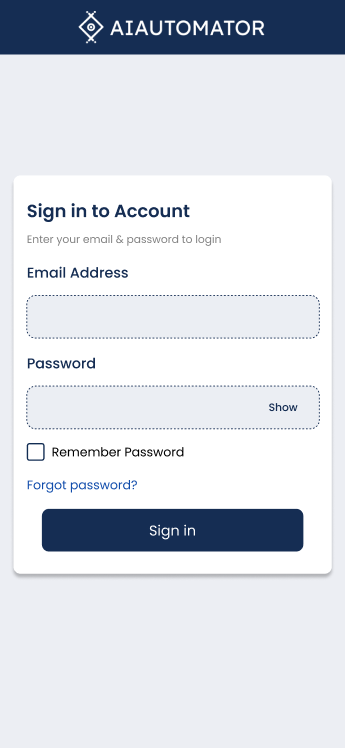
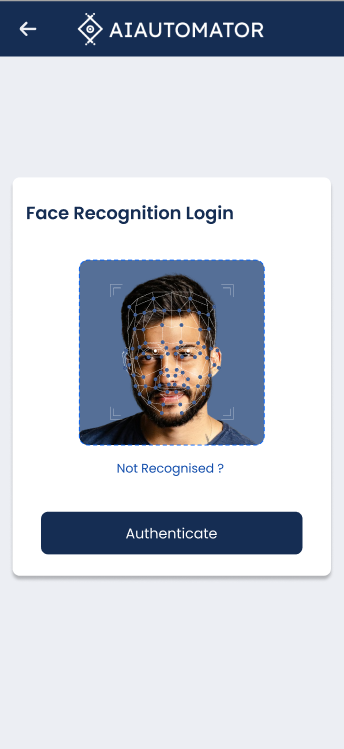
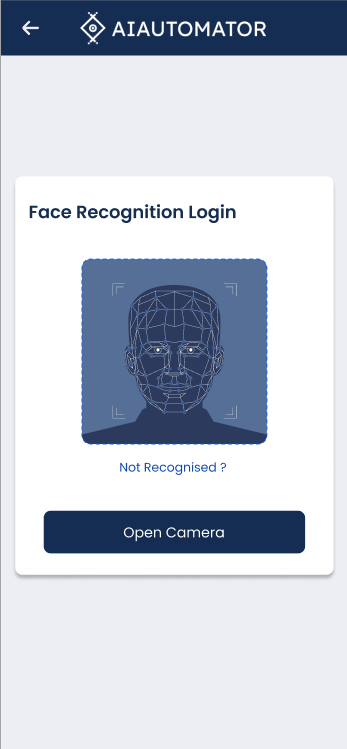
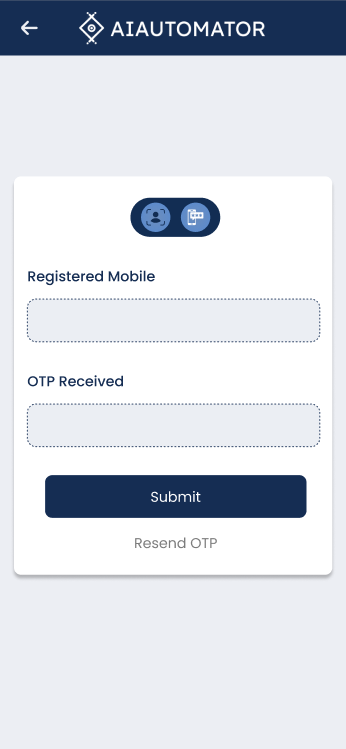
AI Automator Login
- Secure Two-Way Authentication: Implements a robust authentication process using both password verification and AI-driven face recognition.
- User-Friendly Login Flow: Provides a seamless login experience with a combination of traditional credentials and advanced biometric authentication.
- AI-Powered Face Recognition: Ensures enhanced security by verifying engineers’ identities using facial recognition technology.
- Real-Time Authorization: Instantly processes and validates login credentials along with face recognition to prevent unauthorized access.
- Multi-Layer Security: Combines password-based authentication with biometric verification to strengthen application security.
- Optimized for Speed and Accuracy: Utilizes efficient algorithms for quick and accurate facial recognition without compromising performance.
- Scalable Authentication System: Designed to support multiple engineers with unique login credentials and biometric data.
- Enhanced User Experience: Eliminates the hassle of remembering complex passwords while maintaining high security standards.
AI Automator Barcode Scanner
Scan & Retrieve Product Details Instantly
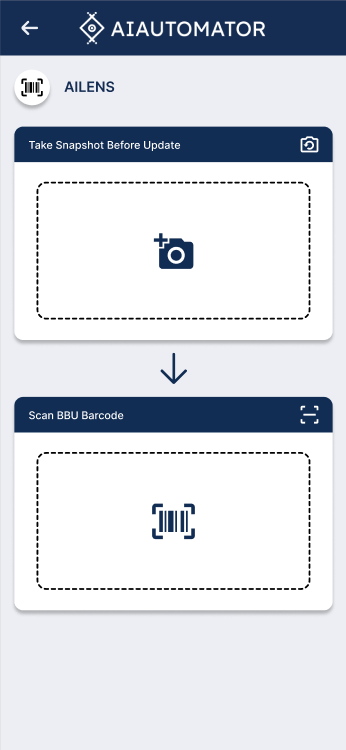
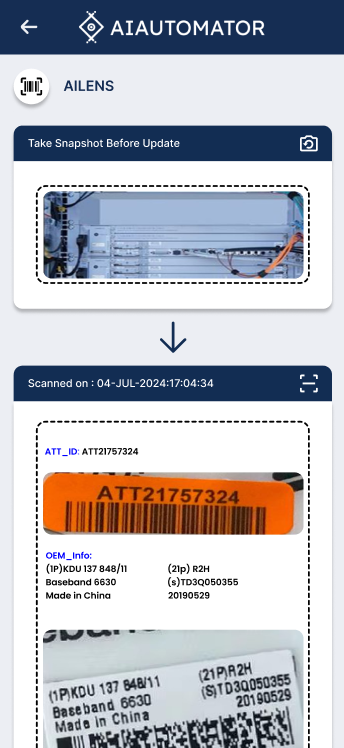
Our barcode scanner lets you quickly fetch product details by scanning a barcode or capturing an image.
How It Works
Open the Scanner: Launch the AI Automator mobile app and navigate to the Scanner section.
Scan the Barcode: Use your device’s camera to scan a barcode or QR code.
Fetch Product Details: Instantly retrieve detailed product information.
Review & Use Data: Get product specifications, pricing, and other essential details.
Key Features
✔ Fast & Accurate Scanning
✔ Seamless Integration with Inventory Systems
✔ Supports Multiple Code Formats (QR, Barcode)
✔ Available on Android, iOS, and Web
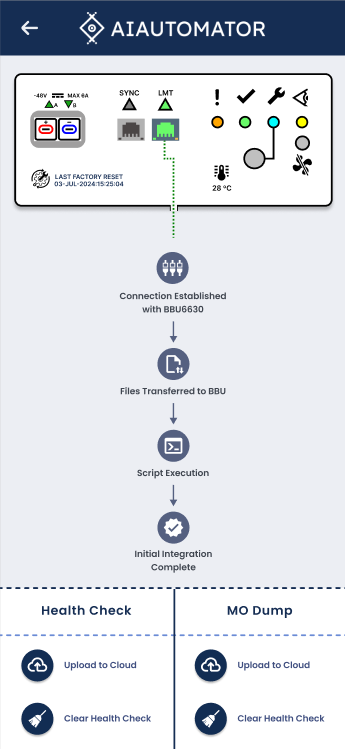
AI Automator – Intelligent Voice-Controlled Automation
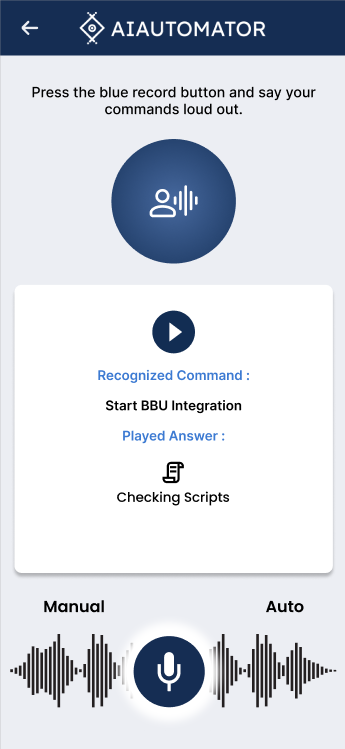
AI Automator is a cutting-edge mobile application designed to enhance system automation using voice commands and real-time workflow tracking. The app integrates AI-powered voice recognition, automated Baseband Unit (BBU) integration, and cloud-based health monitoring to streamline operations efficiently.
- Voice Command Integration: The app allows users to operate automation workflows hands-free by recognizing and executing spoken commands.
- AI-Powered Command Processing: Uses intelligent speech recognition to interpret user inputs and respond with appropriate system actions.
- Automated BBU Integration: Seamlessly establishes connections, transfers files, and executes scripts for efficient Baseband Unit configuration.
- Real-Time Status Updates: Displays step-by-step progress, ensuring transparency in automation tasks like script execution and data transfer.
- Dual Mode Functionality: Offers both Manual and Auto operation modes, allowing users to switch based on their preferences.
- Graphical Workflow Representation: Provides a visually structured view of automation steps, making it easier for users to track and verify operations.
- Cloud Integration for Data Storage: Supports cloud-based uploads for system health check reports and MO dump logs, ensuring remote access and data security.
- User-Friendly UI/UX: Designed with a clean and intuitive interface, enabling seamless navigation and operation for engineers.
- Secure and Reliable Automation: Ensures robust authentication and secure execution of automation processes, reducing human intervention risks.
- Efficient Health Monitoring: Includes real-time system health checks and data clearing functionalities, allowing users to maintain optimal system performance.
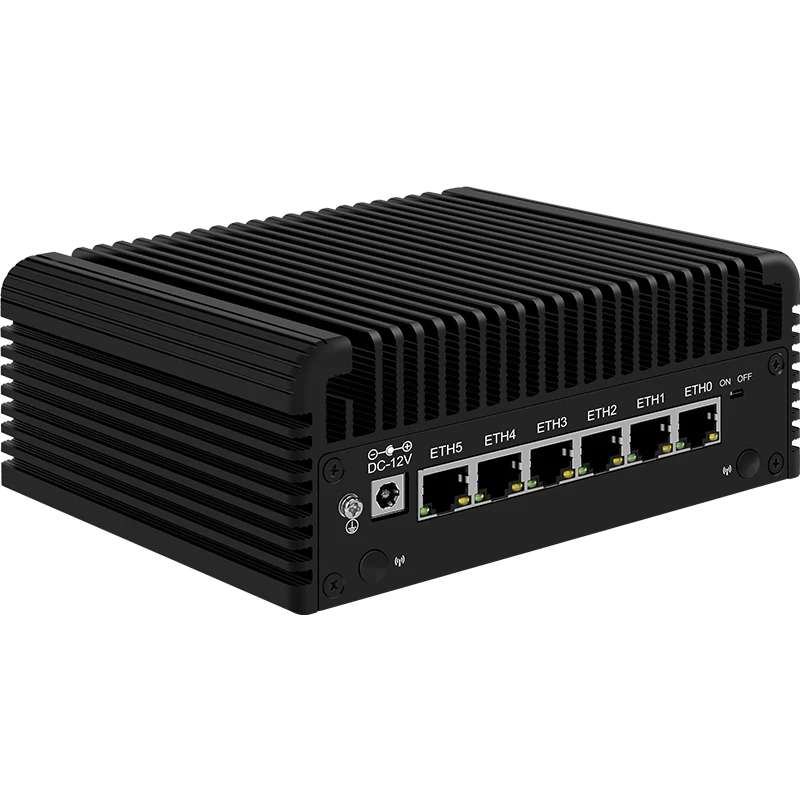
BBU PRIMER
The compact monitoring appliance features robust hardware specifications and an embedded RTOS paired with a proprietary, customized Linux networking stack. This architecture ensures seamless integration with zero connectivity interruptions and consistent high-performance throughput. Notably, it is the first device in its class to offer native Starlink-ready support, enabling resilient satellite-backhauled operations in remote or unstable network environments.
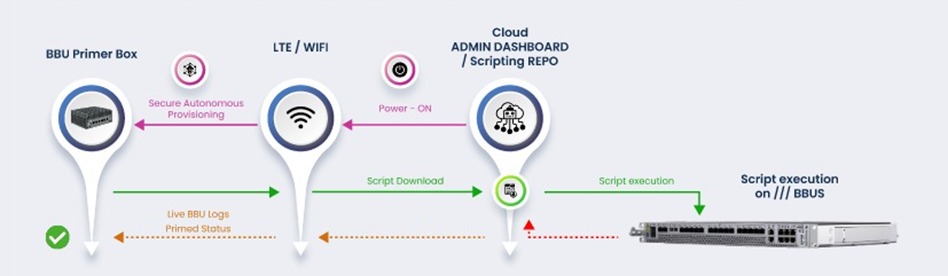
AI-Powered Autonomous BBU Provisioning | Intelligent Zero-Touch Deployment
AI agents orchestrate cloud-to-baseband provisioning auto-powering devices, downloading scripts, executing on BBUs, and self-monitoring with real-time feedback loops for autonomous decision-making and error recovery.
Secure, intelligent, hands-free BBU deployment with AI-driven orchestration and real-time visibility.
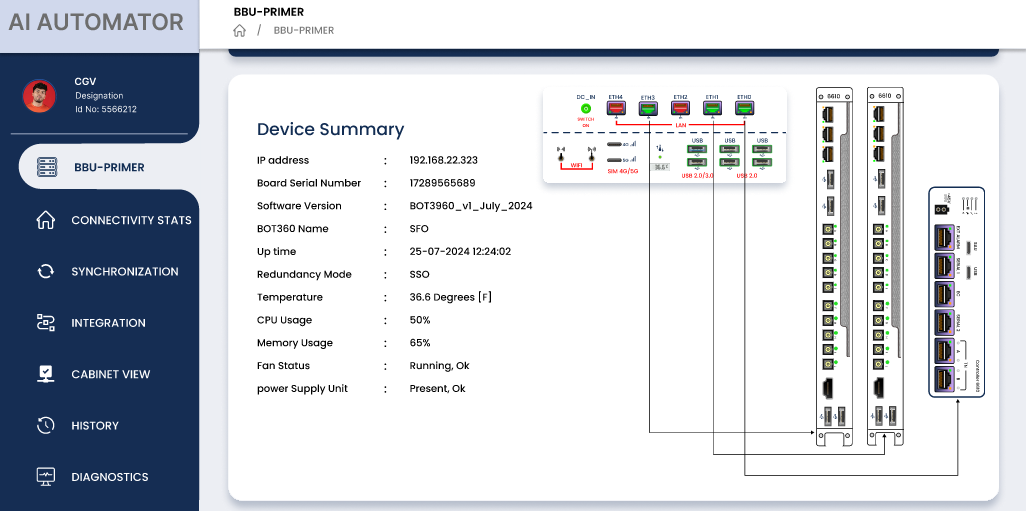
The snapshot shows the monitoring controller primer box connected to multiple network chassis/BBUs (right side) through several Ethernet/management links, illustrating a multi-chassis monitoring setup with redundancy support.
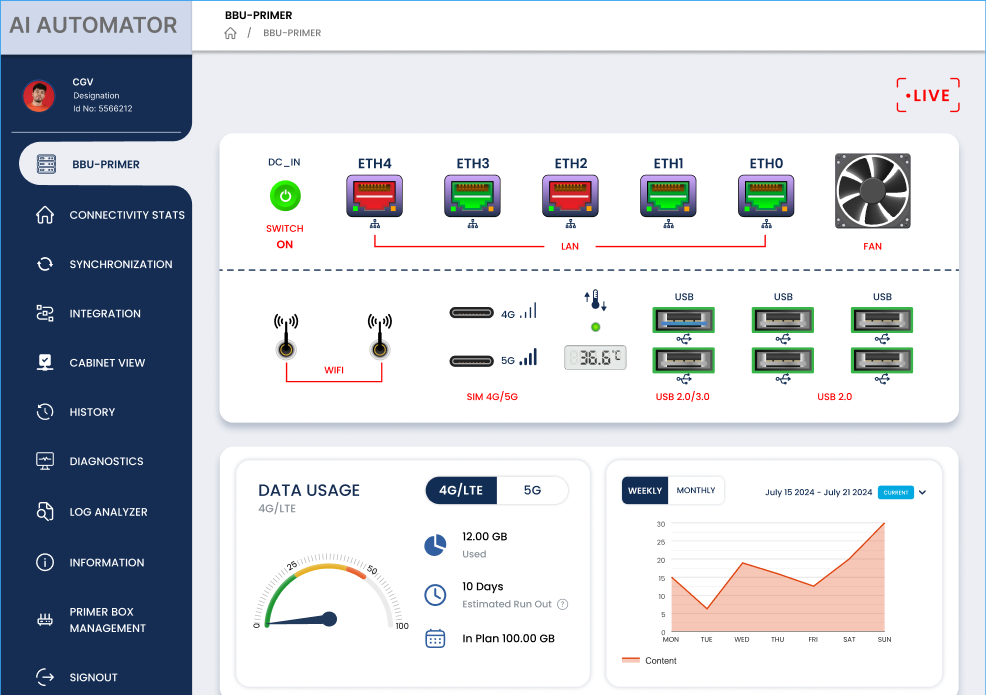
A live, single-pane interface showing complete operational status of the BBU-Primer box. It provides real-time hardware health (LAN ports, WiFi, SIM, USB, fan, temperature), connectivity status, and data-usage insights across 4G/5G. The dashboard combines system telemetry, integration workflows, diagnostics, and historical trends, giving engineers and integration managers a unified LIVE view for rapid verification, troubleshooting, and field-sanity checks.

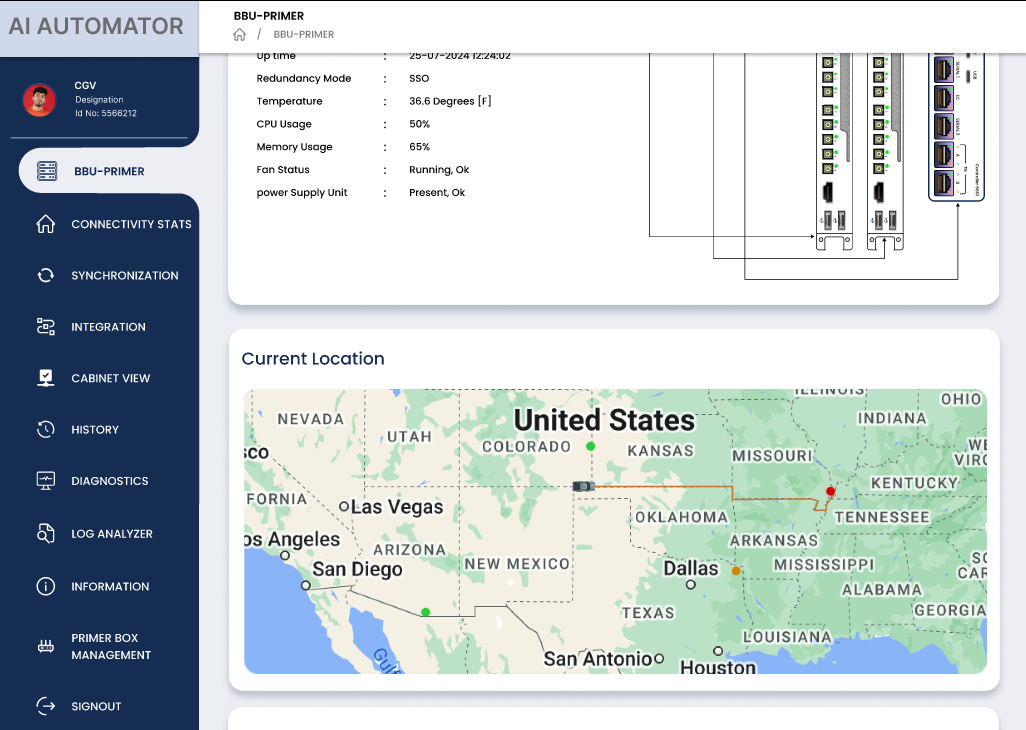
BBU-Primer Field Status Tracking & Integration Sanity Monitor
Provides real-time location tracking for Integration Engineers, live box-movement visibility, and complete box-handover lifecycle monitoring all unified in a single pane-of-glass dashboard for Admins and Integration Managers.
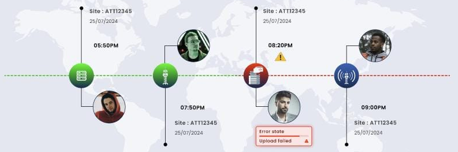
BBU Primerbox Location Tracking gives integration managers real-time geospatial visibility of every field-deployed Primerbox unit. As the box moves from warehouse to truck to tower site, the platform continuously logs GPS coordinates, timestamps, and site association, creating a full chain-of-custody for each device. During onsite integration, live location overlays on the network map help correlate field engineer presence, box status, and site integration progress, enabling faster triage, reduced “where is my box?” friction, and stronger SLA compliance. Historical trails and playback also reveal deployment bottlenecks, idle time, and repeat truck rolls, feeding continuous optimization of logistics and workforce planning.
🚀 Key Benefits
- Eliminate repeated site visits, saving valuable man-hours.
- Accelerate site bring-up with fast, automated provisioning workflows.
- Seamless BBU integrations for smooth, stable operations.
- Minimize disruptions using advanced diagnostics and rapid troubleshooting.
- Reduce operational costs with end-to-end automation.
- Single Glass Pane Dashboard for unified executive & engineering insights.>
- Real-time cloud synchronization ensures always-updated operational states.
- Effortless multi-site management with both bulk & concurrent provisioning modes.
- Graphical integration monitoring for real-time deployment tracking.
- Robust diagnostic suite for precise issue identification & quick resolution.
- Comprehensive log analysis for deep operational audits.
- Fully customizable workflows tailored to unique deployment environments.
🔧 Advanced Capabilities
Connectivity & Automation
- Northbound & Southbound connectivity
- IP SLA–enabled E2E support
- Built-in FOTA (Firmware Over the Air)
- Concurrent & Sequential Provisioning support
- Multi-BB simultaneous priming (faster provisioning cycles)
- Transport service assurance checks
- CSP KPI validation workflow
- Automated site allotment using box location awareness
🏭 Broad OEM Baseband Compatibility
- Ericsson
- NOKIA
- SAMSUNG
- NTT
- FUJI
📡 Intelligent Deployment Features
- Site pre-provisioning
- Archive support
- Geo-location–enabled plug-and-play auto-detection
- Smart onboarding workflows
⚙️ Dynamic Scripting Toolkit
- Baseband flushing
- Automated rollback
- Recovery scripts
- Fully extensible automation hooks
Centralized Primer Box Management
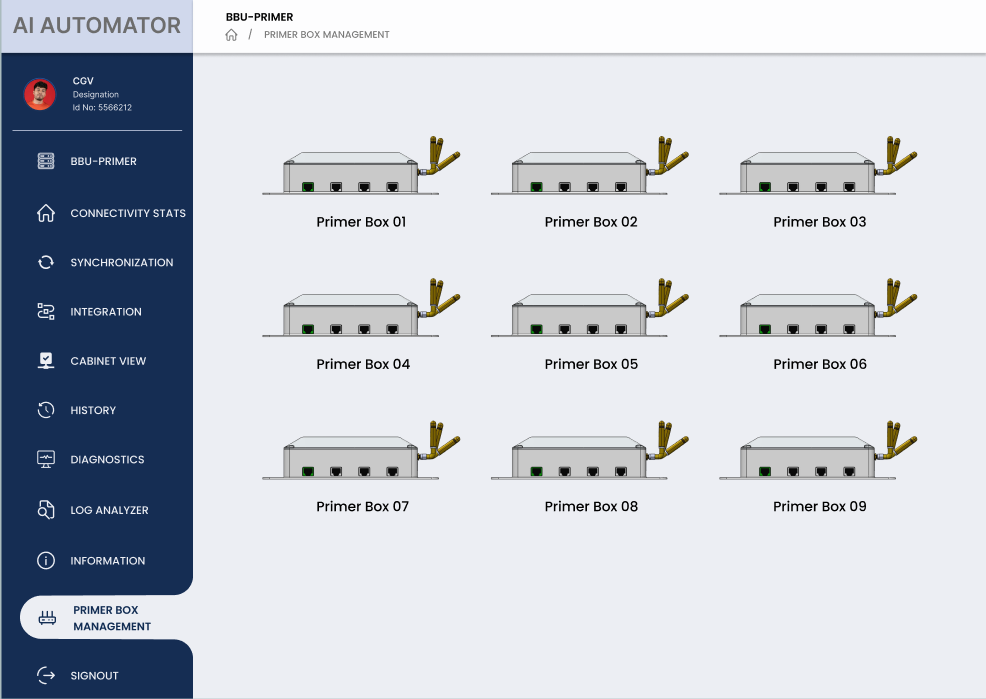
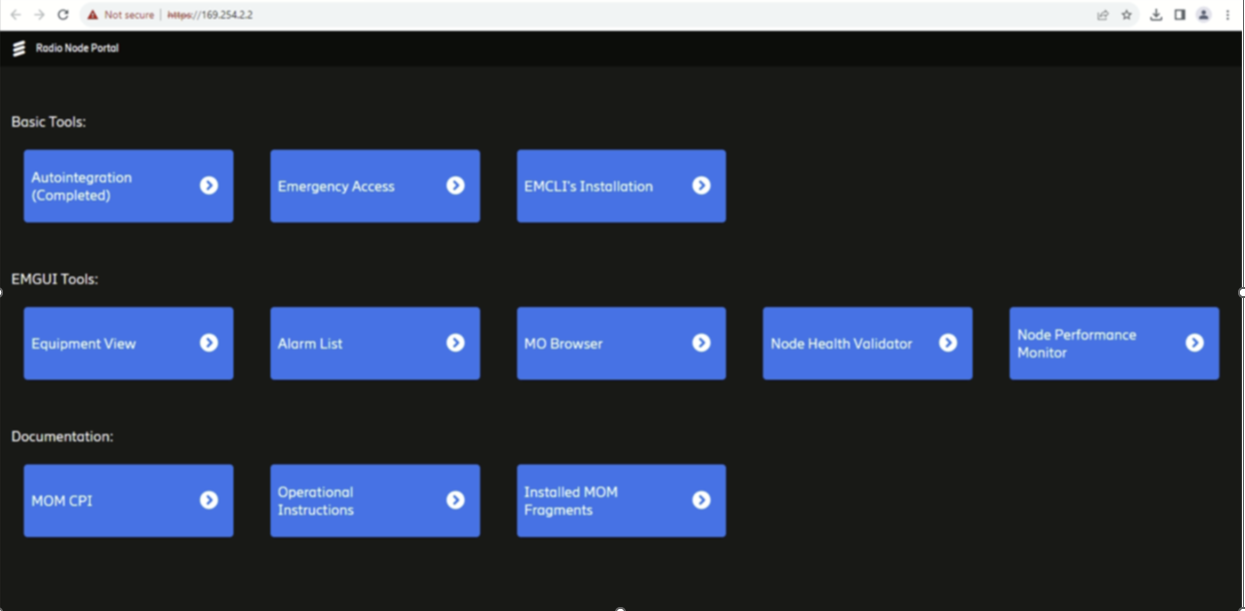
The BBU Primer Suite offers a unified, single-pane view of all active Primer Boxes deployed in the field, including their live location details, connection topology, and port-level mapping. This capability becomes especially valuable during Cell On Wheels (COW) site priming, where rapid validation and real-time visibility are critical.
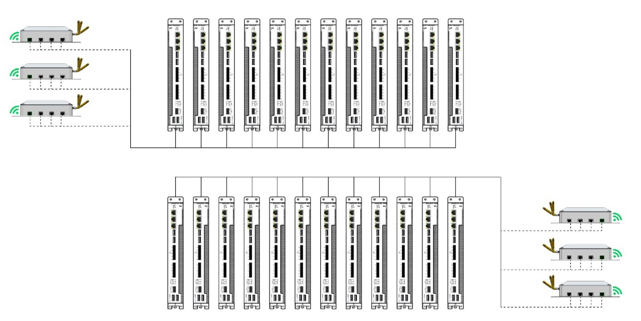
The dashboard provides instant operational insights availability, health, connectivity, and readiness of every box enabling administrators and integration managers to make faster decisions, troubleshoot efficiently, and maintain seamless control across dynamic, time-sensitive field deployments.
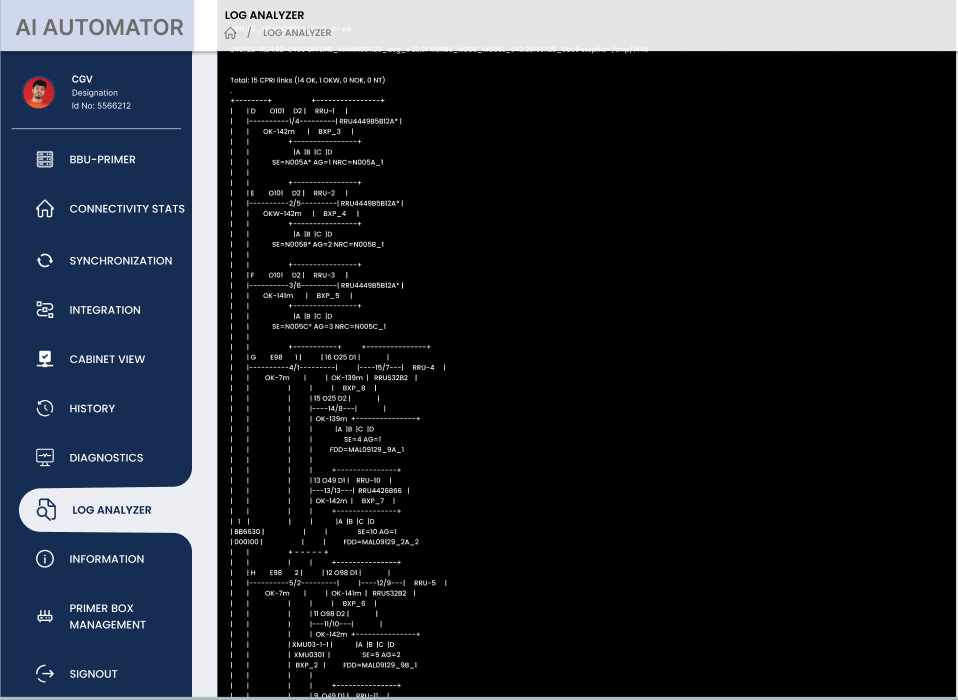
The LIVE Log Analyzer delivers a real-time, streaming view of all integration and CPRI-level events occurring on the field. The snapshot shows a live, structured tree-view of CPRI links, RRUs, sectors, and node IDs, helping engineers instantly visualize link status, mapping, and progression of the integration workflow.
With continuous updates, hierarchical log breakdowns, and immediate visibility into active connections, failures, retries, and sync states, the analyzer enables Integration Managers and field engineers to rapidly diagnose issues, validate CPRI link health, and maintain integration sanity during live site turn-up including high-pressure scenarios such as COW deployments.
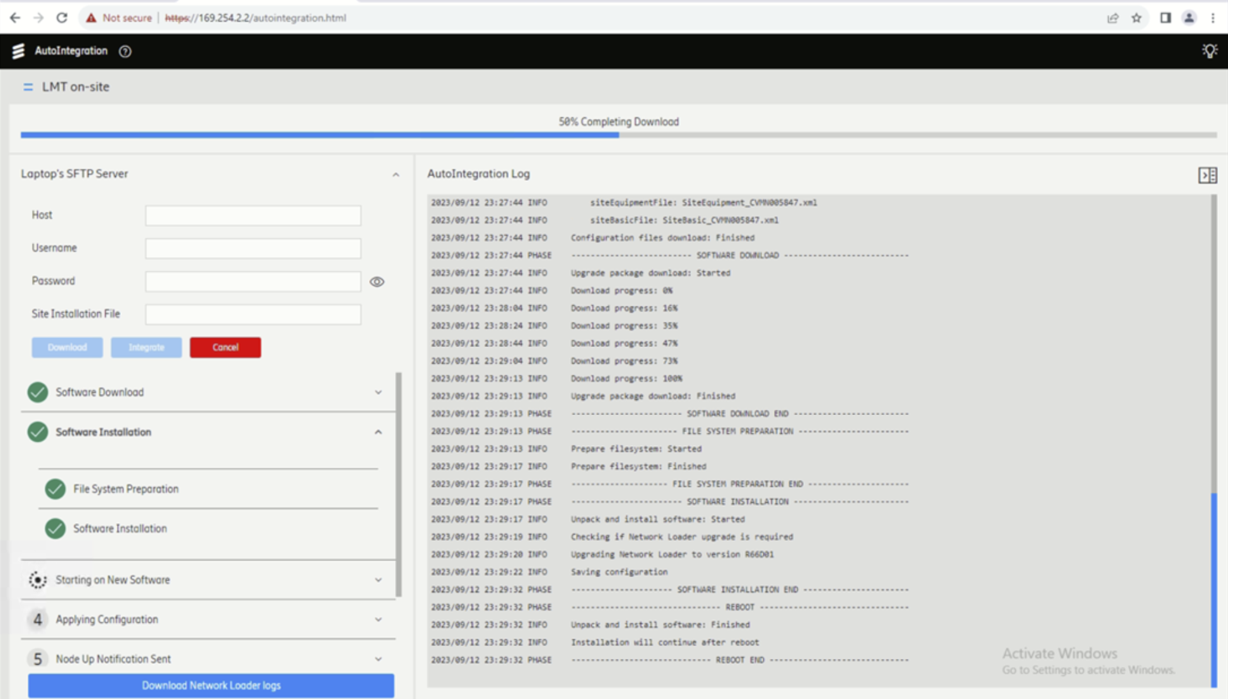
The snapshot showcases the Auto-Integration workflow running over the LMT port, enabling seamless, step-by-step BBU integration without manual intervention. The interface displays the connected SFTP parameters, the selected site-installation file, and the real-time integration log streaming from the BBU.
On the right, the Auto Integration Log provides a detailed chronological view of every integration phase software download, file-system preparation, package extraction, software installation, reboot sequence, and configuration application. Each event is time-stamped, allowing engineers to track progress precisely and troubleshoot any failures instantly.
At the top, a prominent integration progress bar (e.g., “58% Completing Download”) gives a clear visual indicator of the current stage, making it easy to monitor how far the integration has advanced and how much remains.
This snapshot highlights a structured, guided, and automated integration process, significantly reducing on-site time, errors, and dependency on manual CLI operations.
AI Automator Auto-Troubleshooting
Below snapshot displays the Active Alarm List generated during the BBU integration cycle. These alarms highlight real-time issues detected within the managed RBS/BBU environment ranging from Critical faults such as License Key File Fault to Minor integration mismatches such as SFP Not Present or Inconsistent Configuration.
Each alarm entry includes its severity, source element, specific problem category, and occurrence count, giving engineers a clear understanding of system health at a glance. These issues typically arise during configuration, hardware validation, port mapping, or initial software handshaking.
AI Automator Integration Agent Auto-Troubleshooting & Resolution
The AI Automator Integration Agent continuously monitors these alarms and performs automated diagnostics to identify root causes. The agent intelligently:
- Detects misconfigurations (e.g., incorrect port mapping, wrong cable connection, missing configuration files).
- Verifies SFP/optic presence, module compatibility, and link state.
- Validates license files, software versions, and bootloader states.
- Associates alarms with integration steps, enabling contextual troubleshooting.
- Executes corrective actions, such as reloading configurations, retrying interface bring-up, or revalidating file integrity.
- Auto-clears resolved alarms once the issue is fixed or conditions stabilize.
This automated loop reduces manual intervention, accelerates site turn-up, and ensures that field engineers and integration managers can achieve a clean, alarm-free integration state rapidly.
The Single Pane-of-Glass Dashboard provides integration managers and NOC teams with comprehensive, end-to-end visibility into every BBU Primer Box deployed across the network. Each unit’s precise, real-time location is displayed on an interactive mapping interface, alongside its live integration status, hop topology, and current backhaul path. From this unified console, teams can proactively coordinate site hops, track hop-to-hop routing, schedule field visits, and efficiently manage multi-site rollouts with zero guesswork. By centralizing insights, alerts, and operational workflows into one intelligent dashboard, integrations become faster, smoother, and effortlessly manageable—transforming what was once a reactive process into a fully streamlined, predictive operations model.
Business Value
Operational Efficiency
Man-Hour Savings
- 80% reduction in site visits
- 90% reduction in manual configuration
- 75% faster deployment cycles
- 60% reduction in troubleshooting time
Cost Reduction
- Lower truck roll expenses
- Reduced labor costs
- Minimized service disruptions
- Decreased error remediation costs
Faster Time-to-Revenue
- Days → Hours for site deployment
- Rapid service activation
- Quick issue resolution
- Accelerated network expansion
Quality & Reliability
Consistency
- Standardized configurations
- Best practice enforcement
- Reduced human error
- Predictable outcomes
Reliability
- Automated validation
- Proactive monitoring
- Self-healing capabilities
- High availability
Compliance
- Regulatory adherence
- Audit trail maintenance
- Quality gates
- SLA enforcement
Network Expansion
Rapid Site Deployment
- Deploy 100+ sites per week
- Consistent configuration
- Automated validation
- Parallel execution
New Market Entry
- Fast market launch
- Standardized rollout
- Quality assurance
- Scalable deployment
Network Modernization
Technology Upgrades
- 4G to 5G migration
- Multi-vendor integration
- Seamless cutover
- Minimal service impact
Infrastructure Refresh
- BBU replacement
- Configuration migration
- Automated testing
- Risk-free execution
Maintenance Operations
Firmware Updates
- Over-the-air updates
- Scheduled maintenance
- Automated rollback
- Zero-touch execution
Configuration Changes
- Bulk updates
- Validation testing
- Rollback capability
- Audit logging
Disaster Recovery
Rapid Restoration
- Automated recovery
- Configuration restoration
- Service prioritization
- Minimal downtime
Business Continuity
- Backup configurations
- Quick deployment
- Service resilience
- High availability
Security
- End-to-end encryption
- Role-based access control
- Audit logging
- Compliance certifications
Performance Metrics
Scalability
- Support for 10,000+ sites
- Concurrent operations: 1000+
- Deployment speed: <5 minutes per site
- System uptime: 99.9%+
Integration
- Multi-vendor support
- OSS/BSS connectivity
- Third-party tool integration
- Custom API development
Success Metrics
Proven Results
Deployment Efficiency
- ⏱️ 85% reduction in deployment time
- 🎯 99.5% success rate
- 📊 80% fewer site visits
- ✅ 95% first-time-right configuration
Cost Savings
- 💰 60% reduction in operational costs
- 📉 75% lower truck roll expenses
- ⚡ 40% faster time-to-revenue
- 🔧 50% reduction in maintenance costs
Quality Improvement
- 🎖️ 99.9% service availability
- ✨ 90% reduction in configuration errors
- 🔍 70% faster issue resolution
- 📈 85% improvement in SLA compliance
Customer Success Stories
Tier-1 Telecom Operator
Challenge
- 5000+ sites requiring BBU deployment
- Multiple vendors (Ericsson, Nokia, Samsung)
- 6-month aggressive timeline
- Quality and consistency requirements
Solution
- AI AUTOMATOR BOX deployment
- Concurrent provisioning across regions
- Automated validation workflows
- Centralized monitoring
Results
- ✅ All sites deployed in 4 months (33% ahead of schedule)
- 💰 Good amount of saving in operational costs
- ⚡ 90% reduction in deployment time per site
- 🎯 99.8% first-time success rate
- 📊 Zero service disruptions
Regional Mobile Network Operator
Challenge
- Network modernization (4G to 5G)
- Multi-vendor environment
- Limited technical staff
- Tight budget constraints
Solution
- AI AUTOMATOR BOX for automation
- Phased rollout strategy
- Remote management
- Self-service capabilities
Results
- ✅ 75% reduction in man-hours
- 💰 60% lower operational costs>
- ⚡ 50% faster time-to-market
- 🔧 90% reduction in configuration errors
- 📈 40% improvement in network KPIs
🔮 Future-Ready Platform
Continuous Innovation
Roadmap Highlights
- AI-powered predictive maintenance
- Advanced ML-based optimization
- Enhanced multi-vendor support
- 5G standalone (SA) automation
- Open RAN integration
- Edge computing support
Technology Leadership
- Industry-leading features
- Regular updates
- Customer-driven development
- Innovation partnerships
Investment Protection
- Backward compatibility
- Upgrade path
- Long-term support
- Future-proof architecture
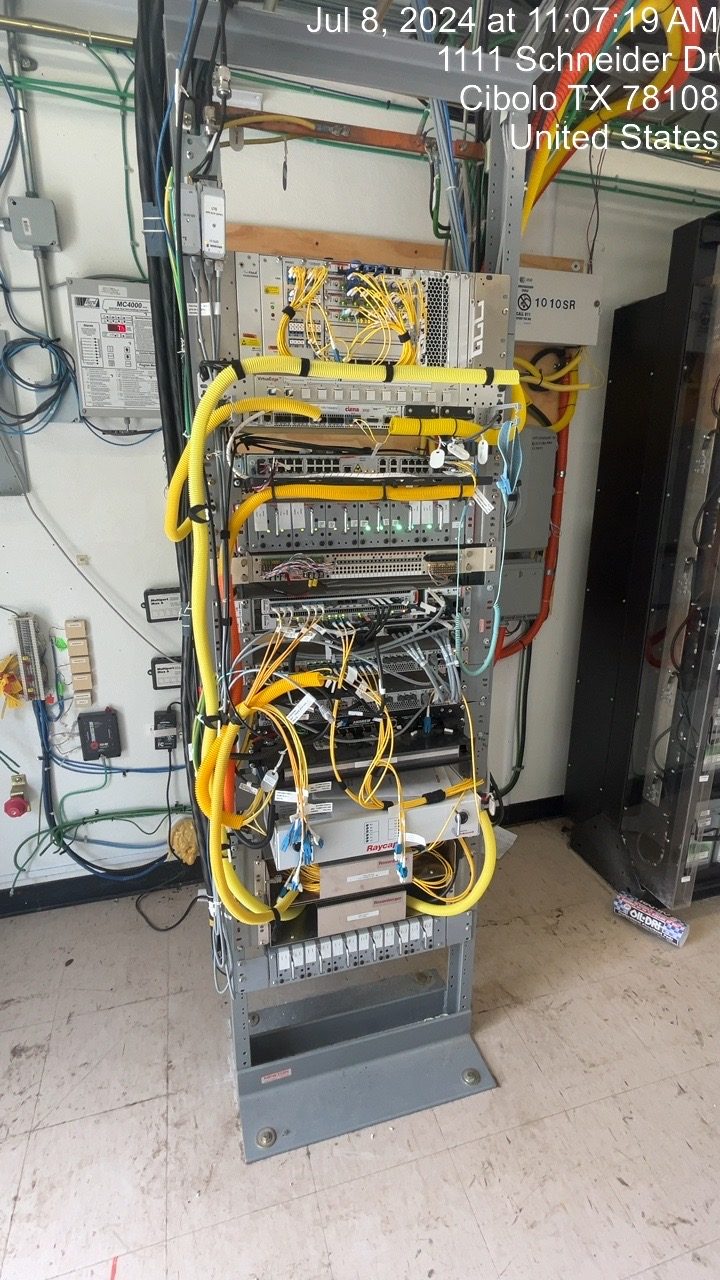
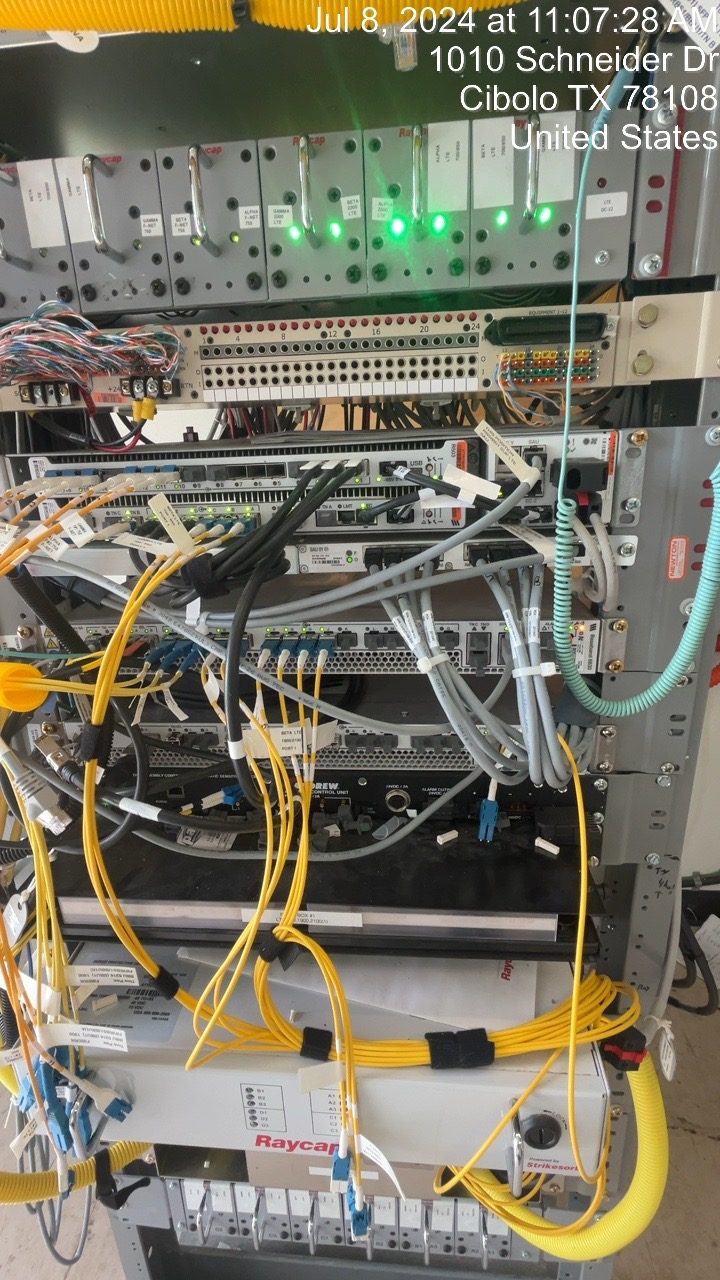
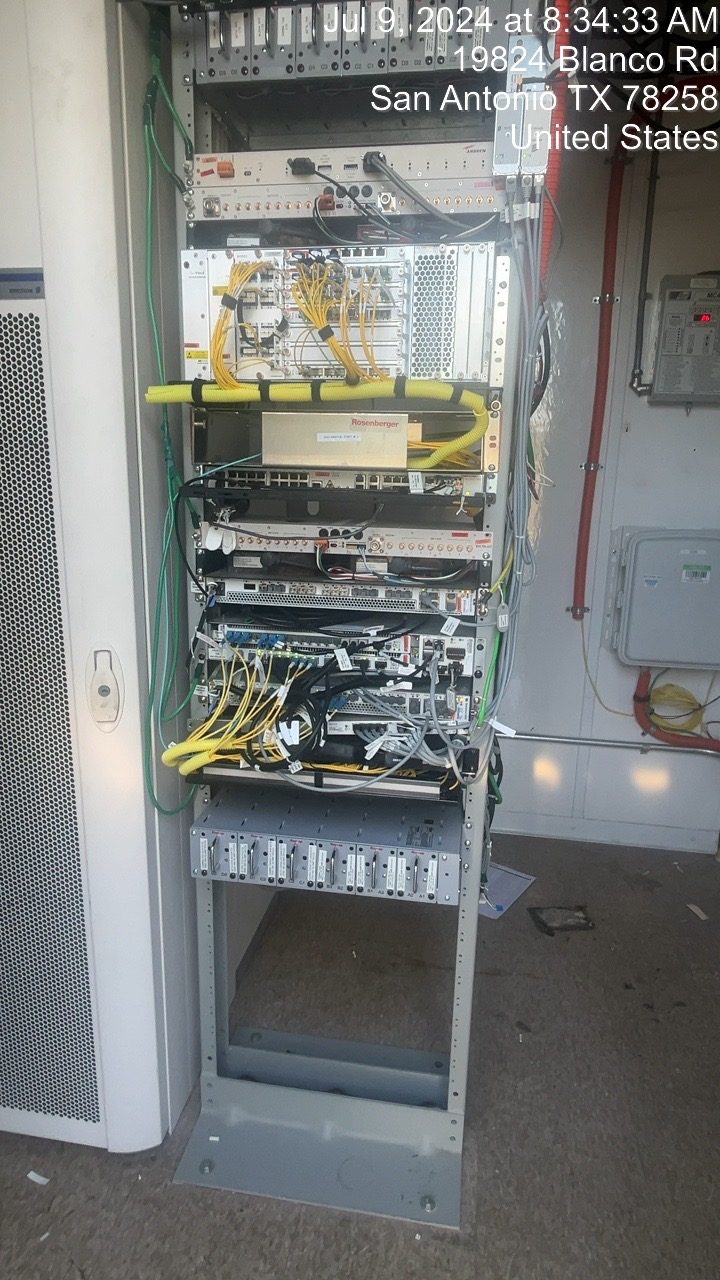
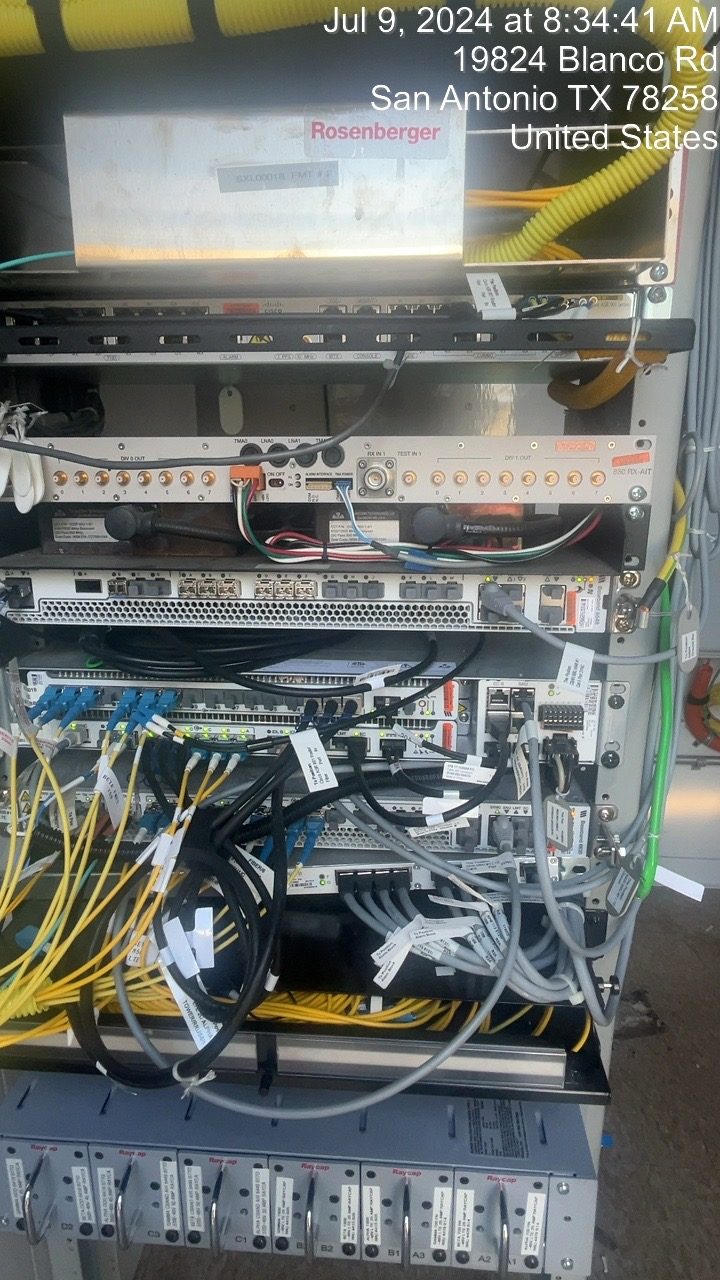
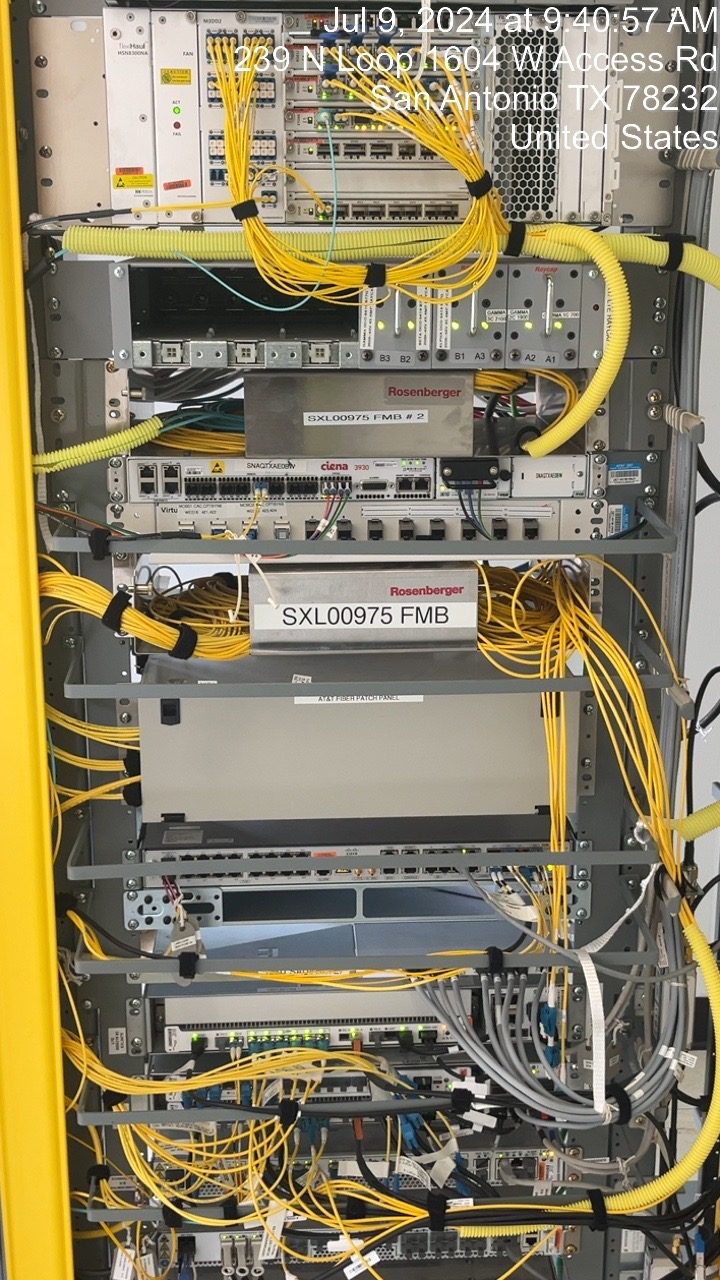


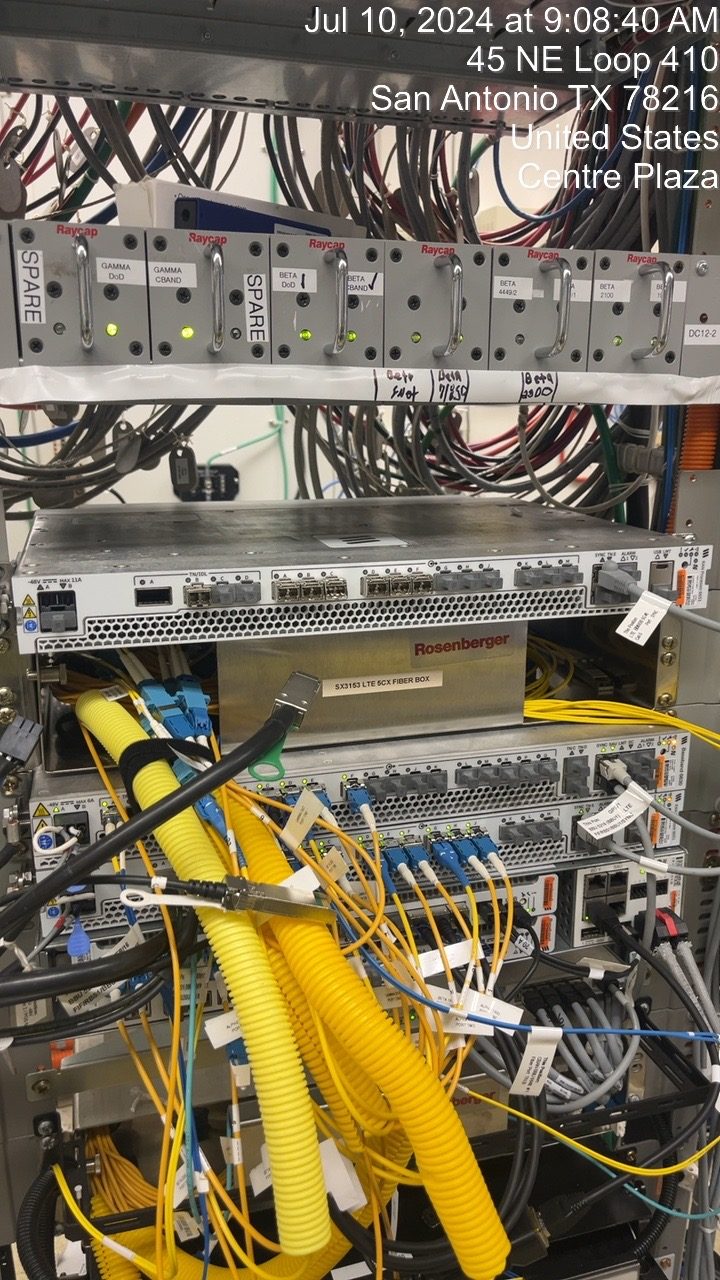
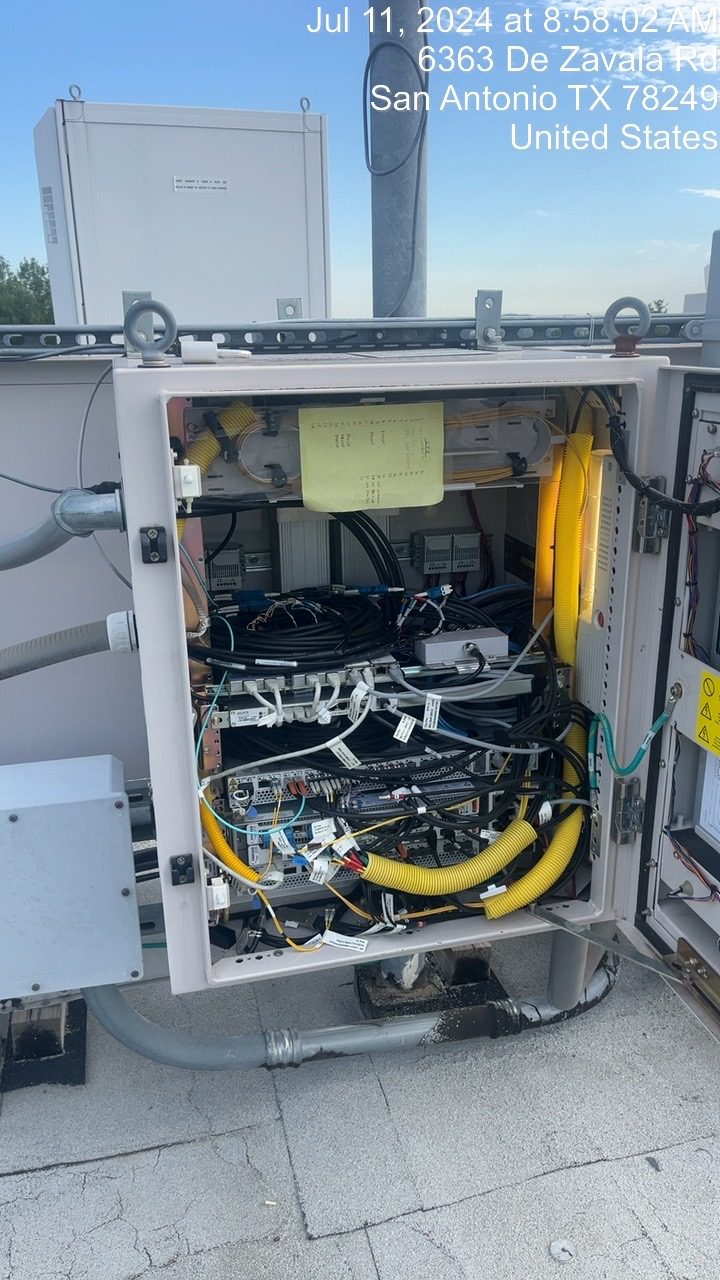
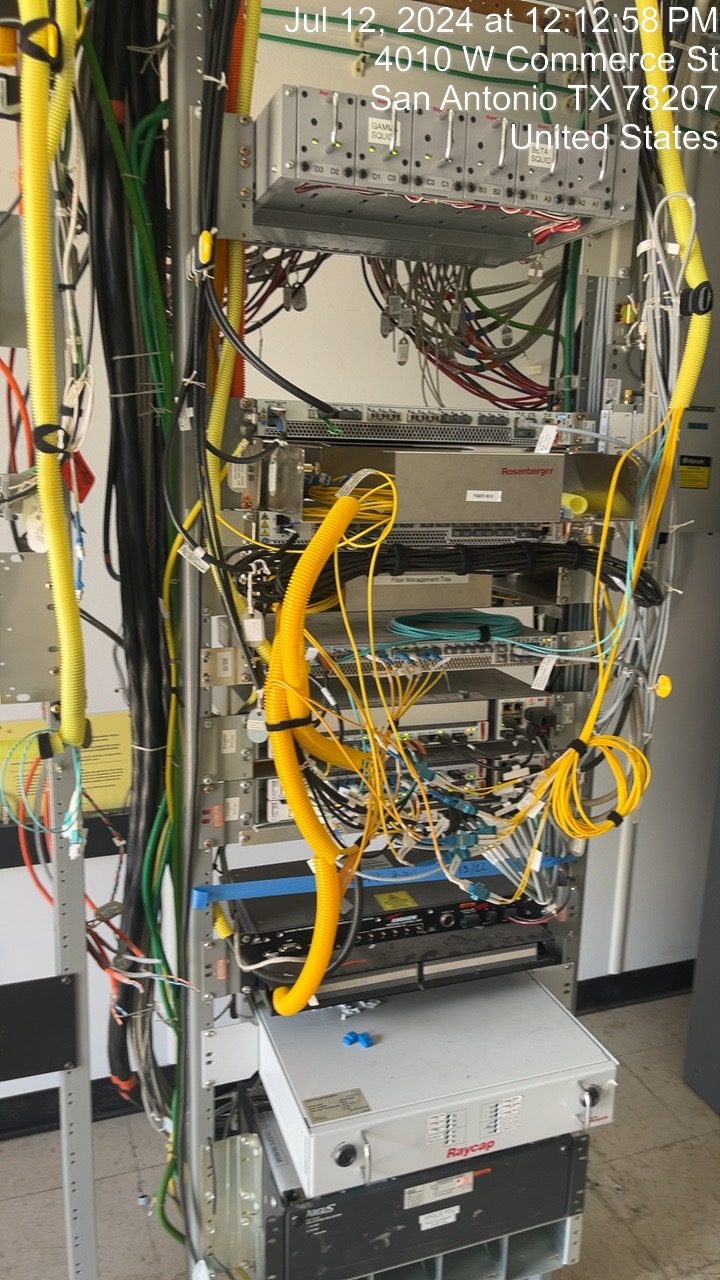


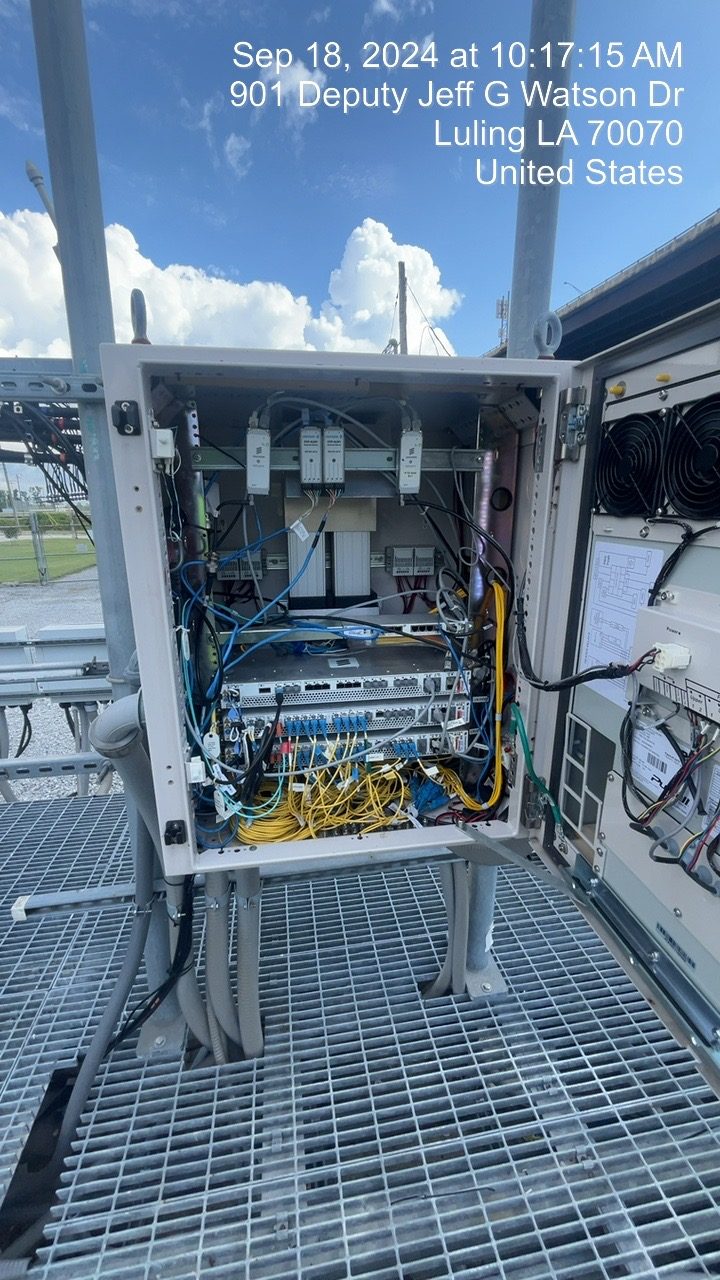
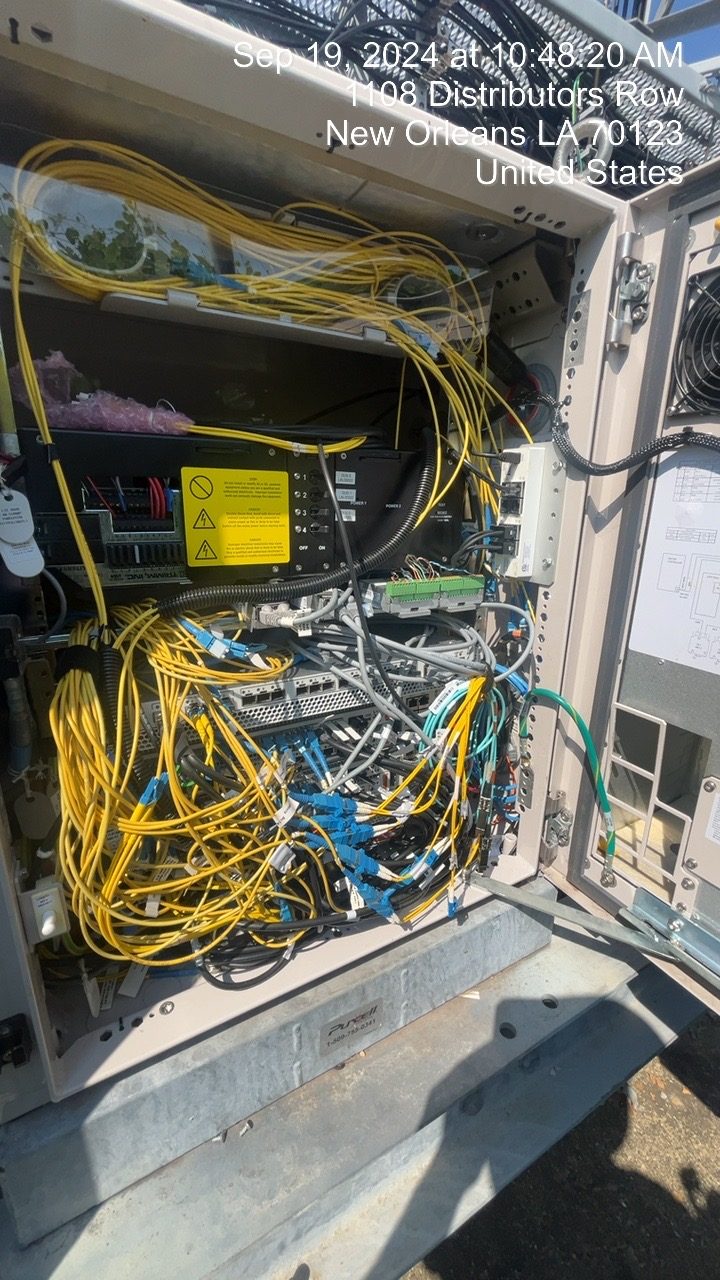
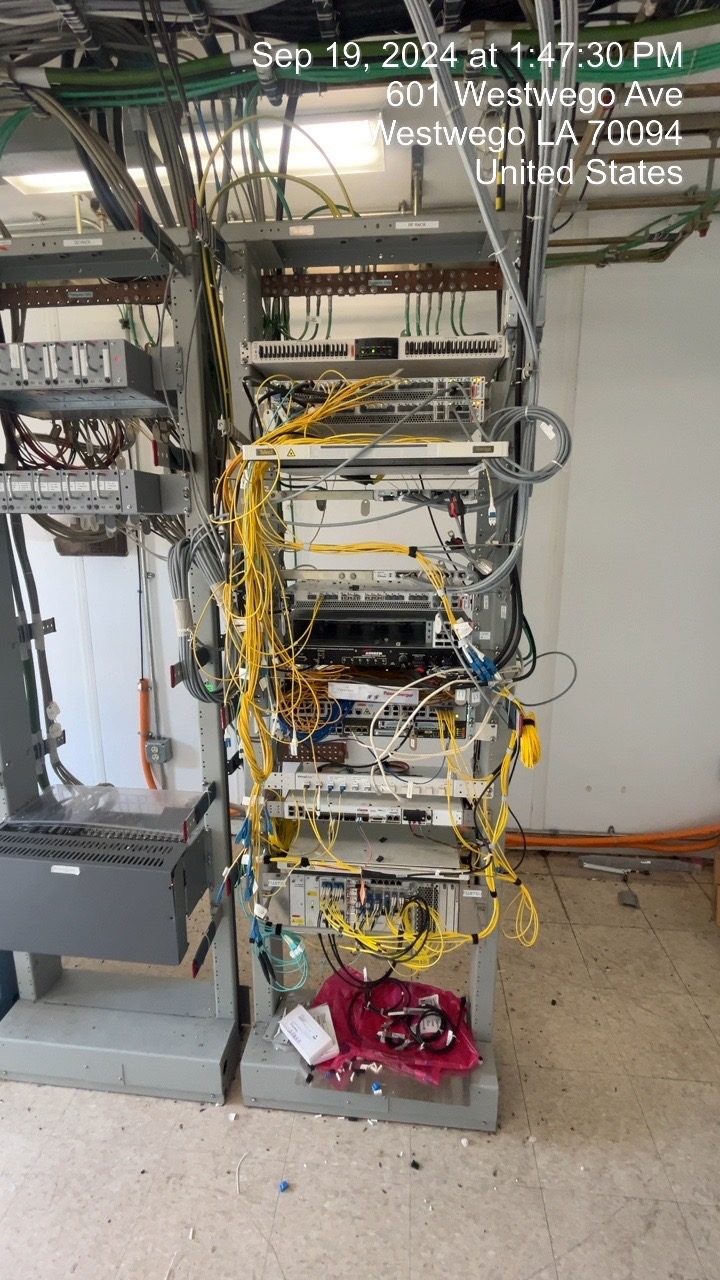


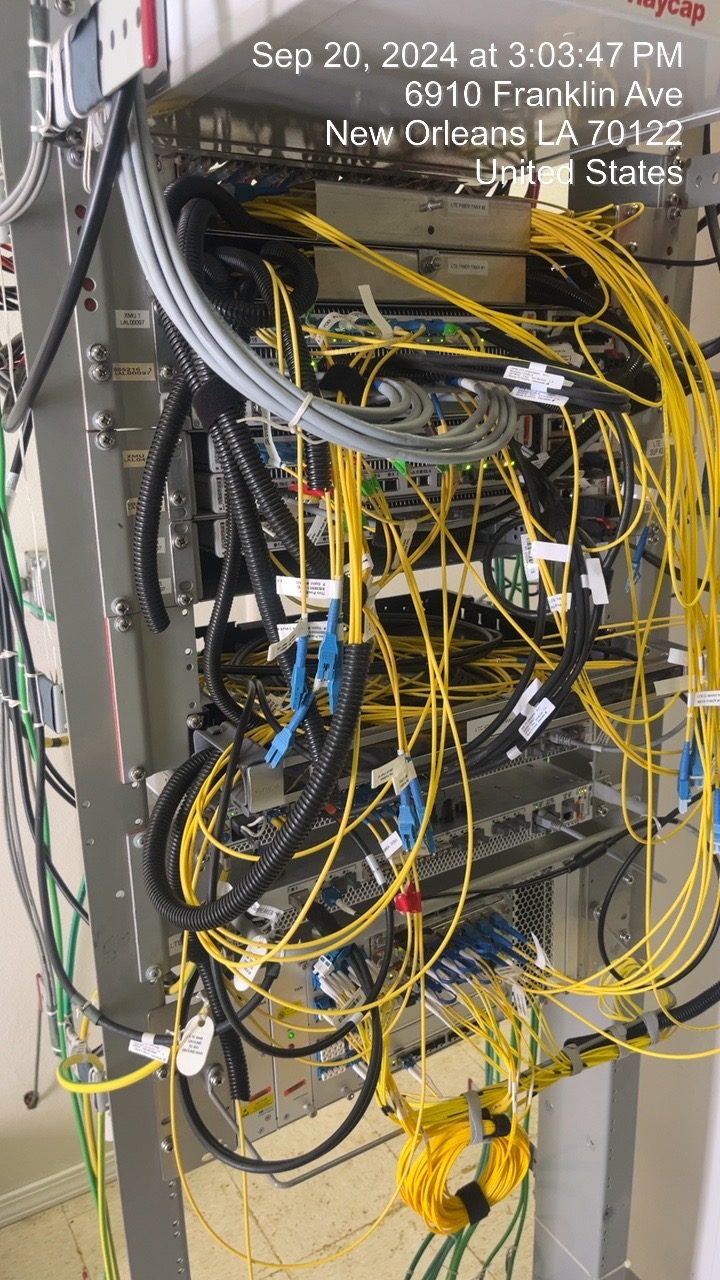
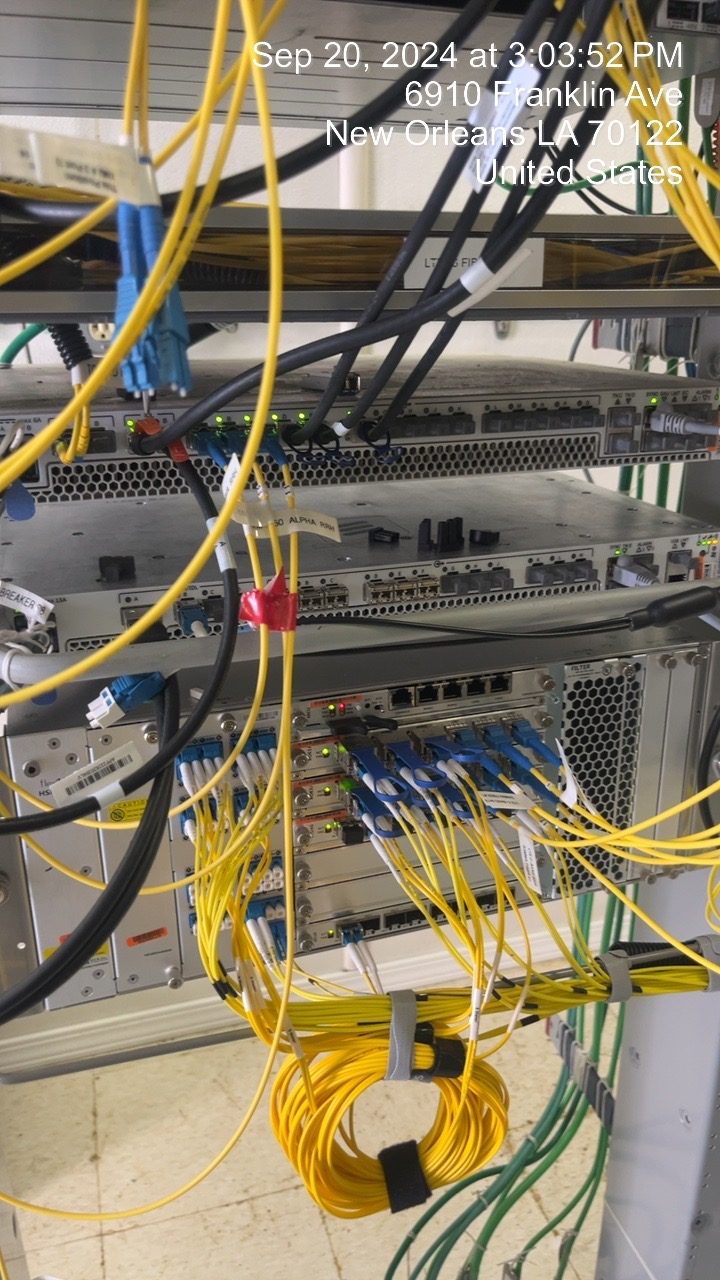
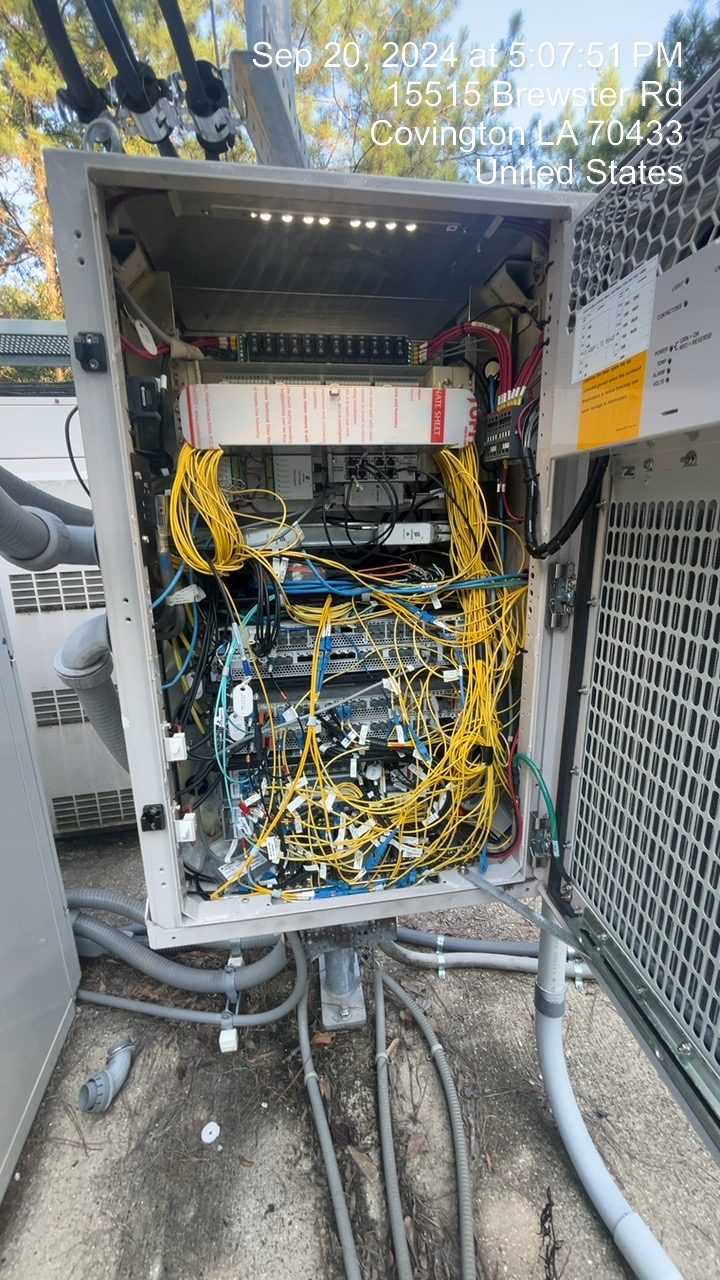
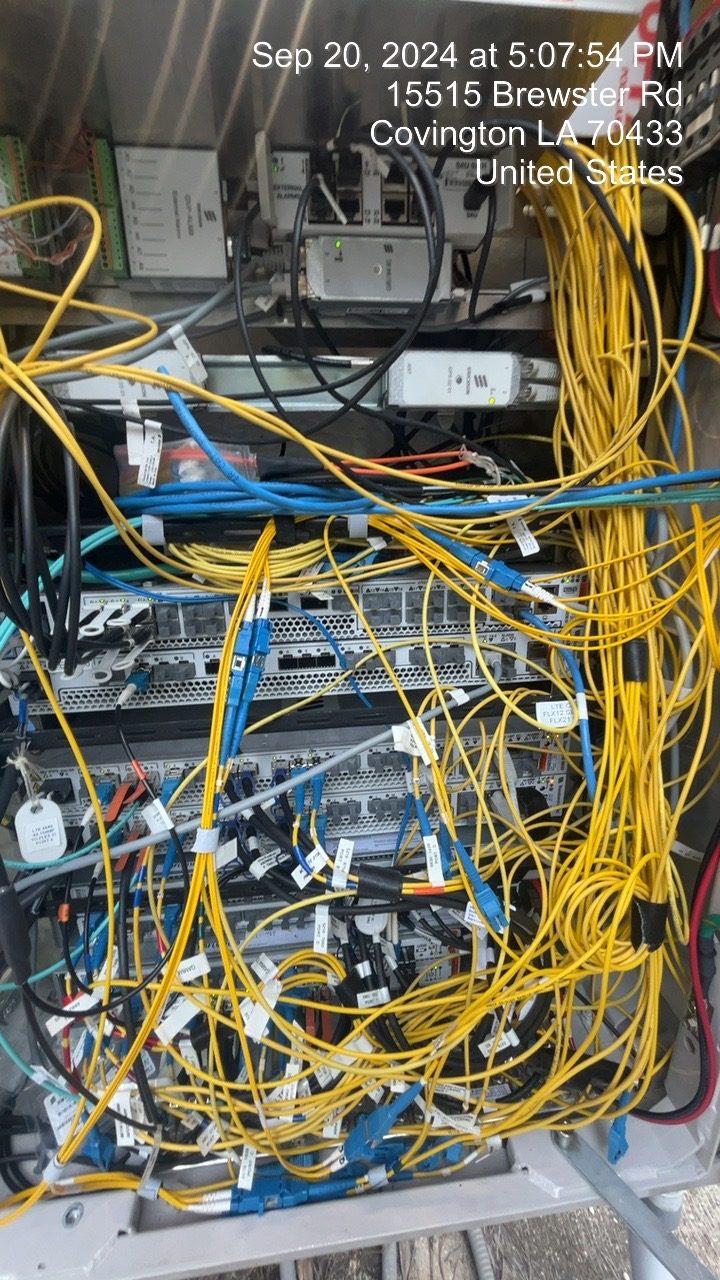
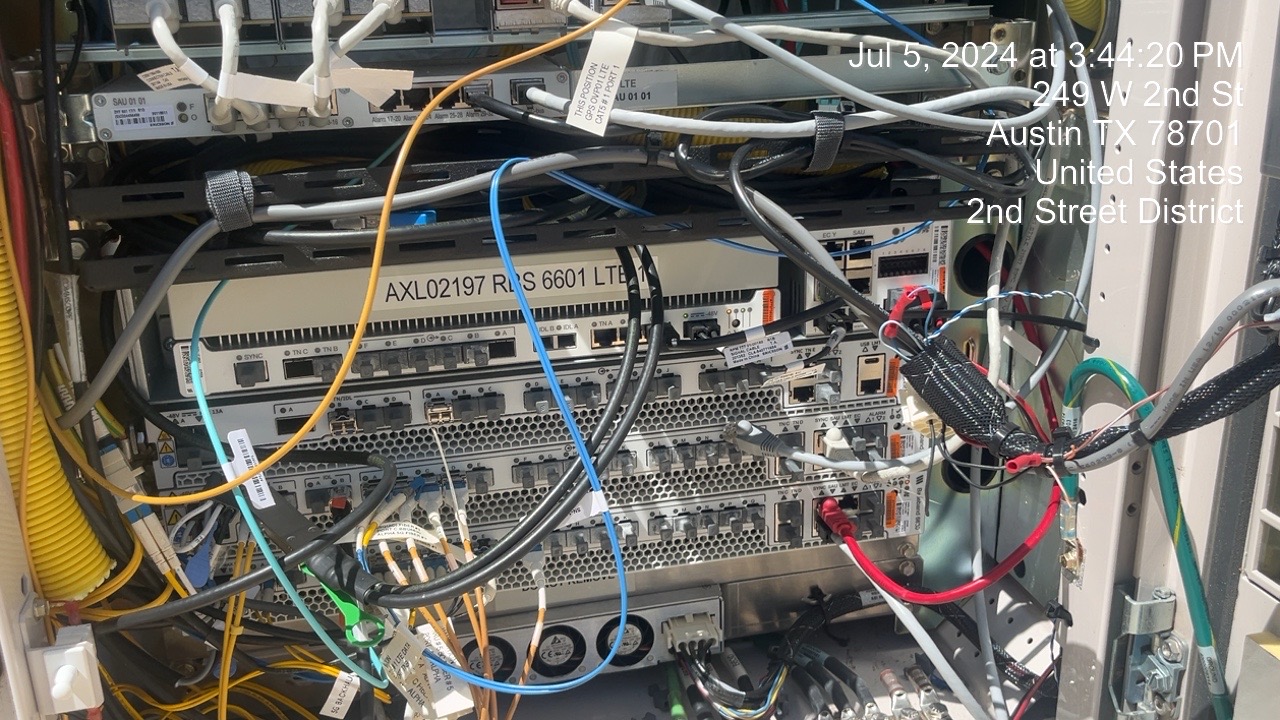
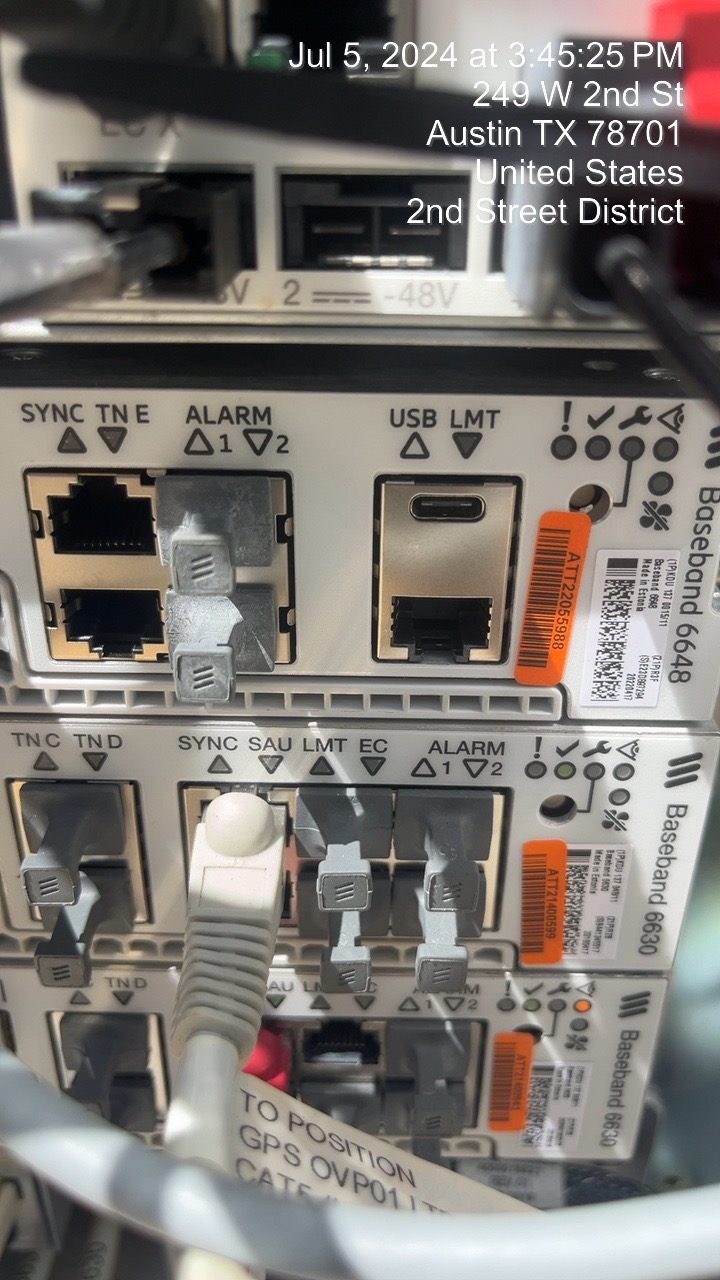
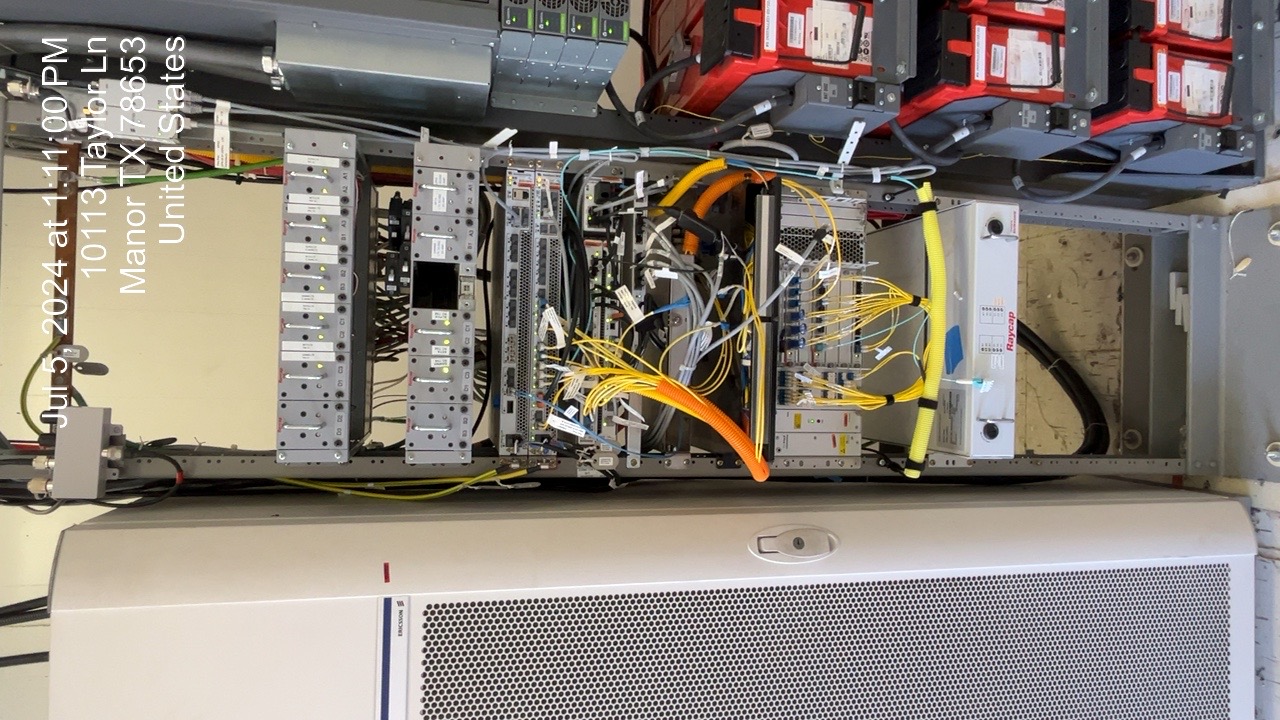
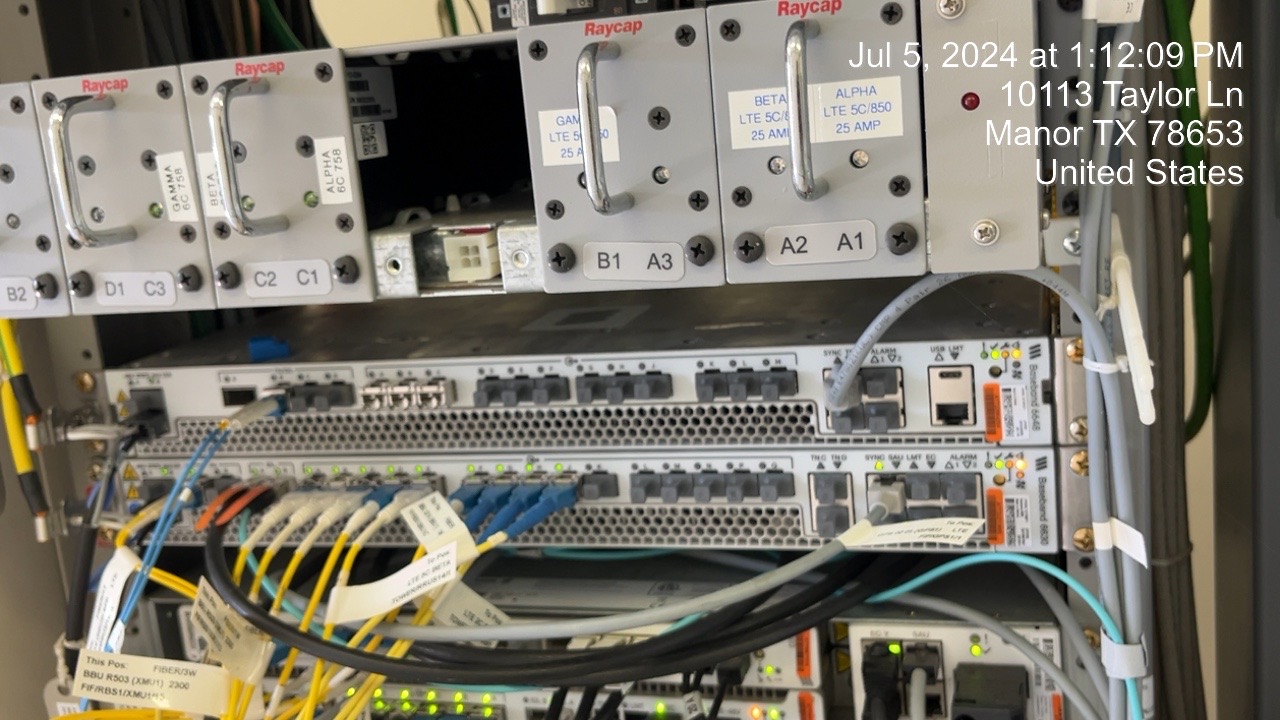
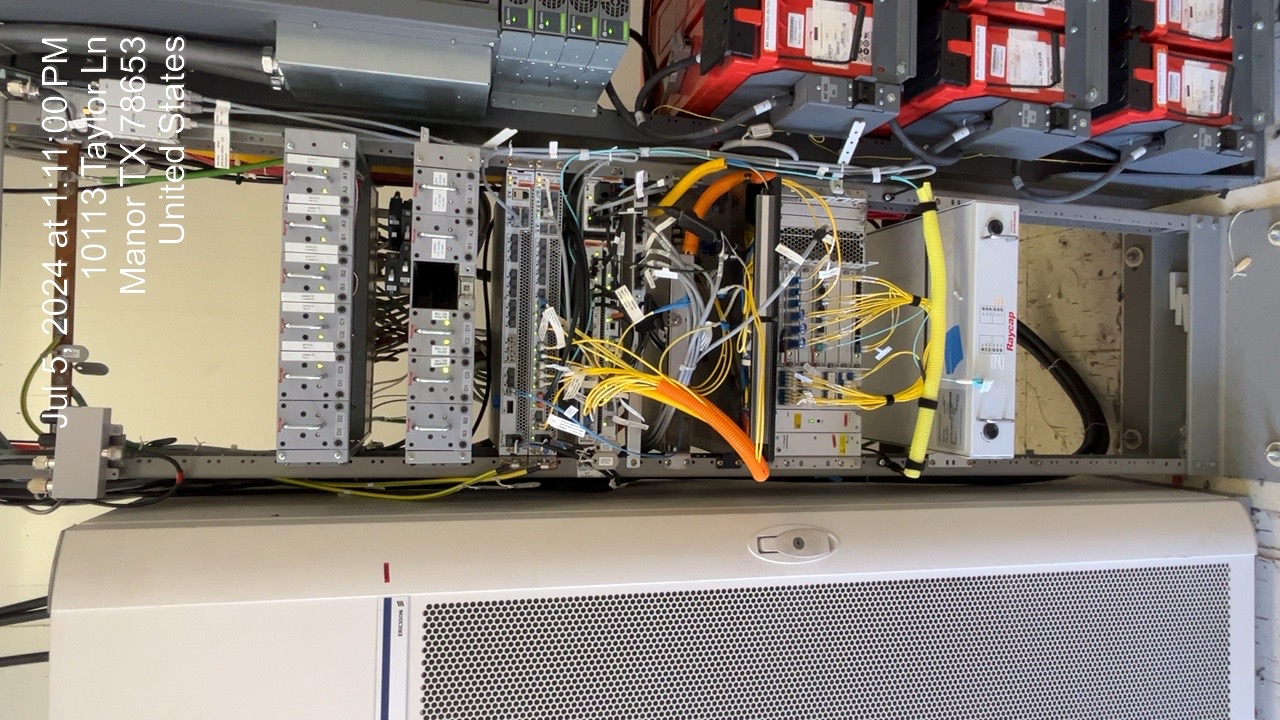
Cabinet View Analysis is also performed by the BBU Primer AI-Automator as part of the onsite integration workflow. When a new BBU card is primed into service on an existing chassis without disturbing the live setup the system automatically builds a holistic view of cabinet conditions, including airflow patterns and internal temperature buildup. These insights help proactively flag potential physical or environmental issues and alarms that may emerge over time inside the closed cabinet.